Road parameters
The Road parameters menu item is intended for managing roads in the selected project.
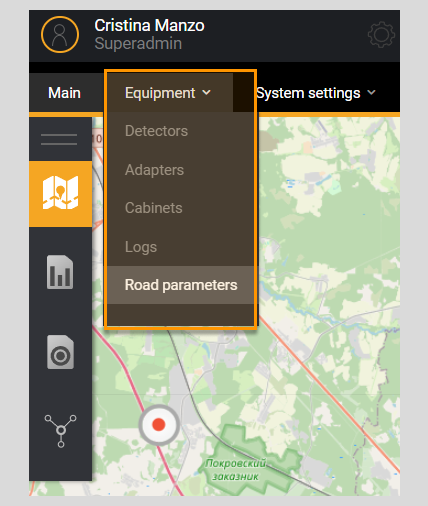
When clicking on the menu item Road parameters the page is goes to Road Management section, which contains a filter and a list of all roads existing in the System. Next to the list name Roads, information about the total number of roads in the System is displayed.
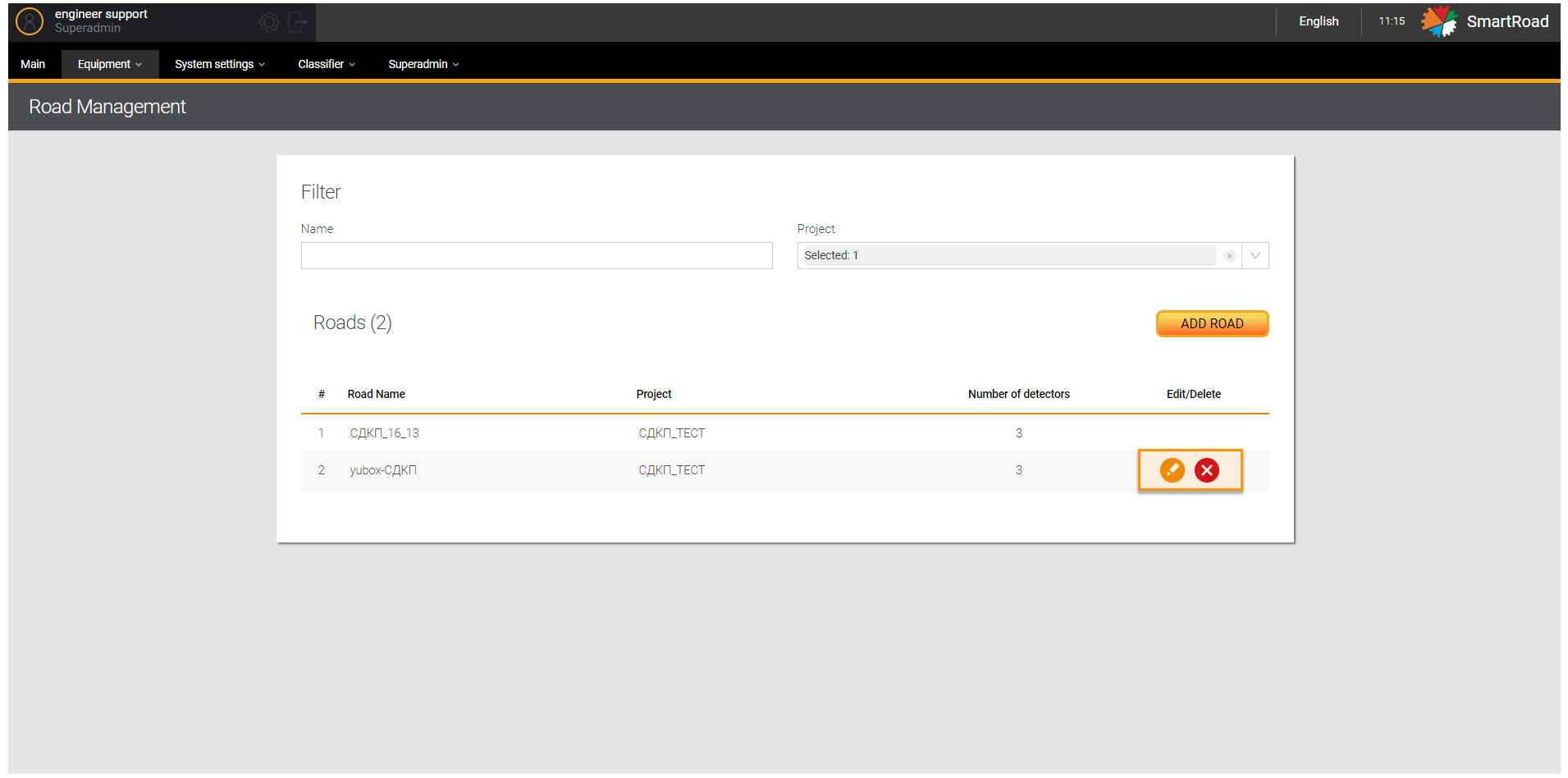
In the next tables are included the fields available in Road management page.
Filter
| Parameter | Description |
|---|---|
| Road name | Field for entering the name or part of the road name |
| Project | Drop-down list for selecting a project. The choice is made by setting a checkbox. |
Road
| Parameter | Description |
|---|---|
| # | The serial number of the entry in the list |
| Road name | The name of the road specified when creating or adding a road |
| Project | The project to which the configured road belongs |
| Number of detectors | Total number of installed and configured detectors on a given road section |
| Edit/Delete | Icons for deleting an entry in the list and changing road parameters. You just should hover your mouse over the item in the list and click on the edit icon to edit an existing entry in the list. When you click the button, an editing window will be displayed (similar to Add road window) with the previously specified parameters. Click the delete icon to remove a road from the list. When removing, you must confirm the deletion the pop-up window. |
Add a road
Setting up the road is done by clicking on the button Add a road in Road Management page. Afterward, a window for entering road parameters is displayed.
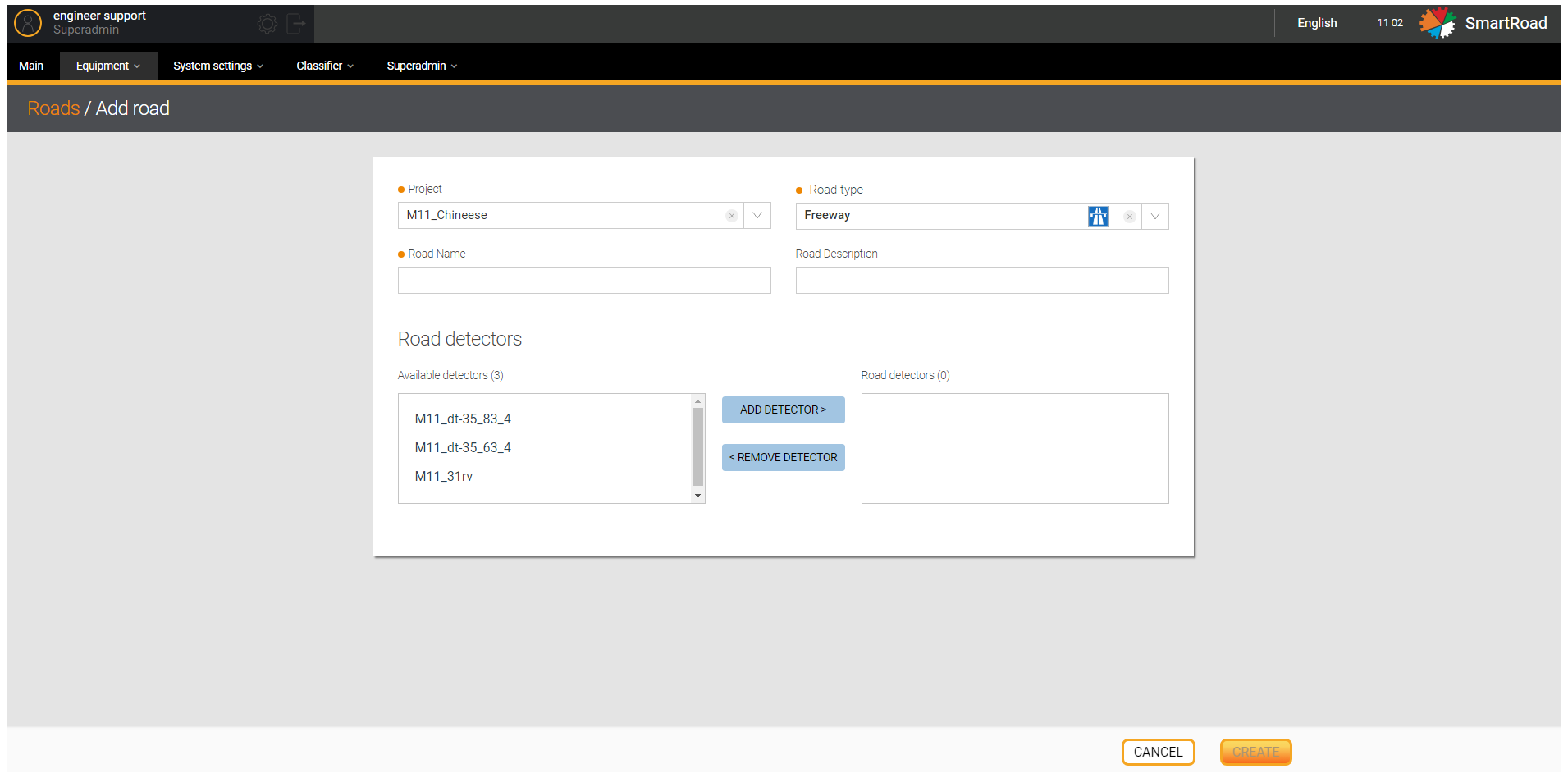
In the table below you can find the Parameters available in Add Road window
| Parameter | Description |
|---|---|
| Project* | Drop-down list for selecting a project in which a new road will be configured in the System The drop-down list contains all projects for the current organization. |
| Road type* | Field for selecting the type of road. The drop-down list contains entries from the road type directory. |
| Road name* | Field for entering the name of the road, which will be displayed in the road list section. |
| Description of the road | Field for entering a road description or user comment |
| Road detectors | Section for adding available detectors to the road. All available detectors within the selected project will be displayed in the Available Detectors field. You should select a detector and click on the Add detector button. Select an entry in the Road detector field and click the Remove detector button to remove a previously added detector. |
| Create/Save (in edit mode) | Button to create a new road. Once clicking on the button, a new road will be created in the System, and the user will go to the road editor window |
| Cancel | Button to cancel the creation of a new road. The user will be returned to the road list section. |
REMEMBER
(*) - This is a required parameter to add a road